See it in action
Watch Respond turn a 200-question RFP into a reviewable draft.
A four-minute walk-through of question ingestion, AI-assisted answering from your content library, and the review workflow before anything leaves the business.
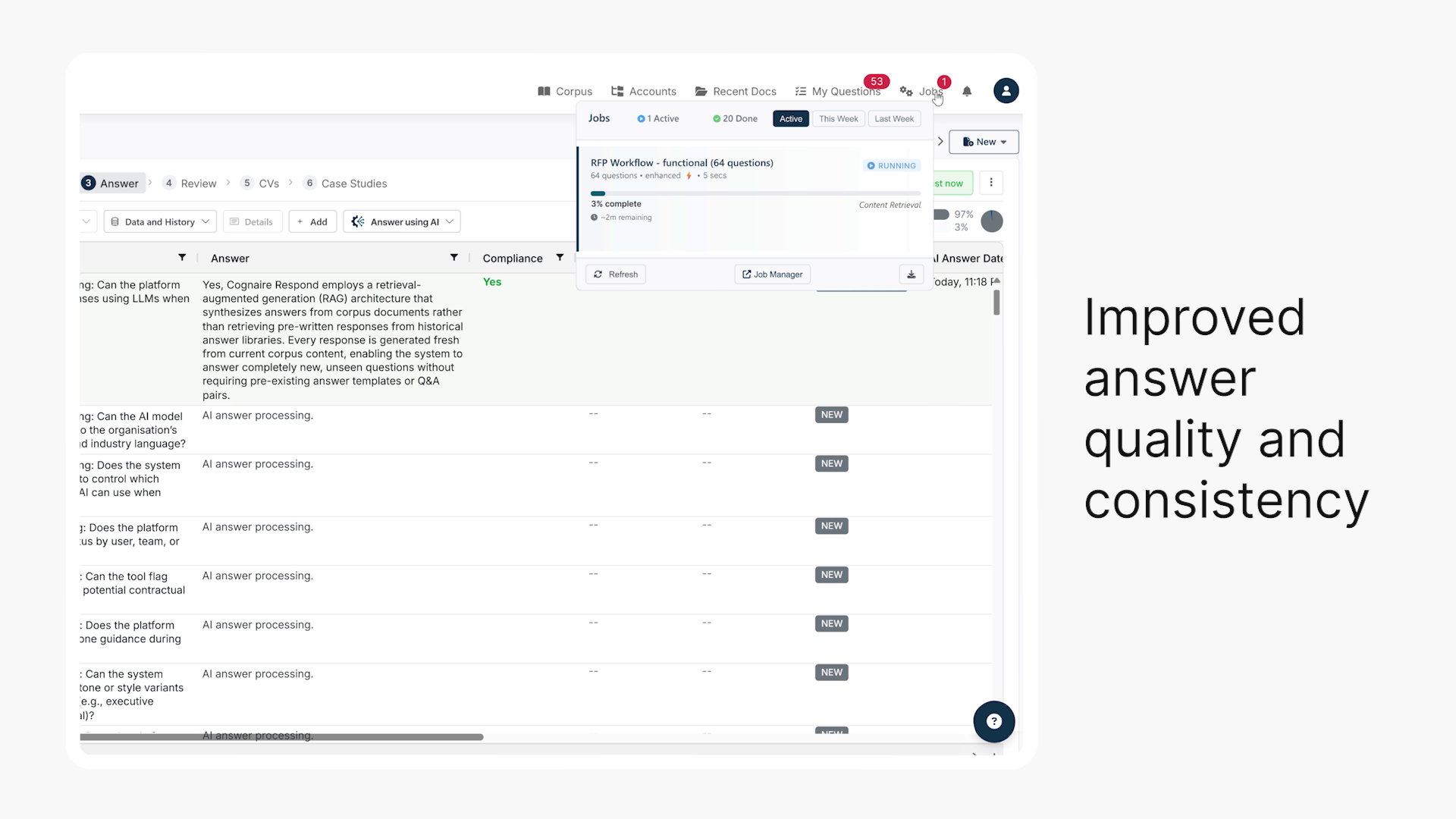
Respond turns RFPs, security questionnaires, ESG assessments and DDQs into structured workflows that generate client-ready answers from your source material, with clear ownership, SME review and risk controls built in.
faster RFP turnaround after the first 90 days.
more client-ready answers by the second RFP, as the corpus improves.
of questions managed through one response workspace.
setup time if you have an urgent submission.
A four-minute walk-through of question ingestion, AI-assisted answering from your content library, and the review workflow before anything leaves the business.
Bring in spreadsheets, unstructured copy-pastes from portals or Word content. Respond extracts the questions, organises the work, generates complete answers from selected source material, routes exceptions to owners, highlights risk and helps the team export a clean final response.
Q44.Describe your data retention policy for customer content.
Q45.What is your incident response SLA for critical severity events?
Q46.Do you support customer-managed encryption keys (BYOK)?
For sales-led competitive opportunities with long questionnaires, attachments, evaluation criteria and review owners across sales, product, legal and delivery.
For SIG, CAIQ, vendor risk reviews and custom security assessments that need precise answers from policies, certifications, architecture notes and approved evidence.
For EcoVadis, CDP, GRI-style disclosures and bespoke ESG requests that require input from sustainability, operations, finance, HR and legal teams.
For due diligence questionnaires, vendor onboarding packs, procurement checks and compliance reviews where repeated questions need consistent, governed answers.
For structured framework submissions, public-sector panels, analyst questionnaires and market assessments where evidence, consistency and format matter.
For responses that need input from security, legal, presales, product, delivery and external partners without giving everyone access to everything.
A structured response process for teams that want more than a static answer library. Respond helps generate complete, client-ready answers from governed content, while keeping SMEs, reviewers and final approvers focused on the questions that need judgment, context or escalation.
Upload a spreadsheet, paste portal text, or bring in RFP, security, DDQ or ESG content from the format the buyer supplied. Respond extracts questions, keeps sections together and creates a structured workspace for the team.
Generate answers from selected product, policy, security, compliance and prior-response material. With a well-maintained corpus and tuned Language Rules, Respond is designed to produce complete, client-ready answers for the majority of questions — often 70–90% of a mature questionnaire set — with human review focused on exceptions, sensitive topics and strategic responses.
Use completeness, risk and compliance signals to prioritise the questions that need human judgment. Route exceptions to SMEs, refine strategic or sensitive answers, and track progress by topic, status and person instead of chasing spreadsheet comments.
Run a final review for missing content, contradictions, weak claims and sensitive answers. Resolve flagged items, approve the response set, then export into the format needed for the buyer or procurement process.
Legacy platforms use static libraries that cause a maintenance and accuracy nightmare. Past questions rarely match new questions one-hundred percent. Respond lets teams maintain approved source material, then generate tailored, client-ready answers with ownership, review and progress tracking built into the workflow.
Respond imports Excel spreadsheets, CSV files, multi-tab workbooks and pasted text from Word documents, PDFs and buyer portals. It extracts questions, preserves useful structure and organises the work into a response workspace.
Respond generates answers from the content sources your team selects, such as product documents, security policies, prior responses, compliance material, case studies and approved boilerplate. It is designed to use your approved material, not public internet content.
Respond reduces that risk by anchoring answers in selected approved content and surfacing responses that need review. If the source material is thin or missing, the workflow exposes the gap so the team can resolve it before submission.
Yes. Respond is designed to generate accurate, well-supported answers, and SMEs and reviewers remain in control of what is submitted. They can approve, edit, reject or rewrite answers, while bid managers track ownership, status and review progress across the questionnaire.
SMEs can work from focused queues of assigned questions across active questionnaires. They review and edit only the items relevant to their expertise, without needing to navigate the full response workspace or content library.
Yes. Respond supports SIG, CAIQ, vendor risk reviews and custom security assessments. Security answers are generated from policies, certifications, architecture documentation and other approved evidence.
Chat tools can help write isolated answers. Respond manages the full response process: questionnaire import, bulk answer generation from governed content, ownership, SME review, progress tracking, quality checks, source context and export.
Legacy RFP automation tools use static libraries that force teams to maintain many canned answers. Respond lets teams maintain source documents and generate tailored, source-backed answers from them, so new questions do not depend only on finding the closest historical answer.
Missing content becomes visible as a knowledge gap. The team can answer manually for the current questionnaire, then improve the approved source library so future questionnaires generate stronger answers with less intervention.
Respond uses access controls, encryption, tenant isolation and data residency options. Your content is not used to train external models. Regional deployments can be arranged when data needs to stay in a specific jurisdiction — ask us about available options.
Bring a redacted RFP, security review or DDQ. We will show how questions are captured, answered from approved content, prioritised for review, checked for risk and exported for submission.