See it in action
Watch Respond turn a candidate brief into a client-ready submission.
A four-minute walk-through of CV formatting, talent-pool match search, and the AI-assisted submission pack — narrated by the team.
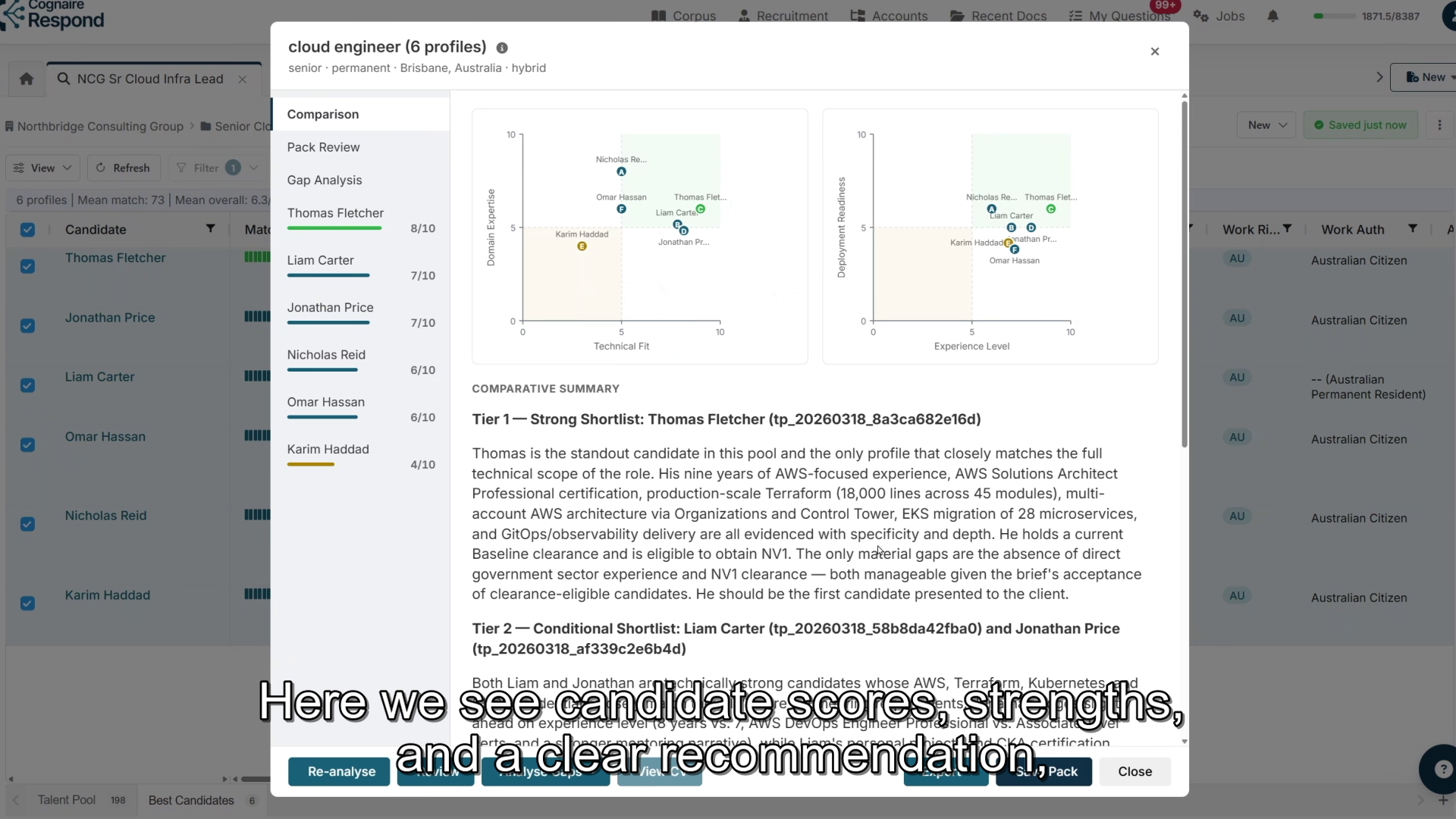
Recruitment teams lose time reformatting CVs, searching old candidate records and assembling submissions under pressure. Respond turns incoming CVs and job briefs into formatted profiles, better shortlists and client-ready packs.
Jordan Marsh
Senior Platform Engineer · 9y
Estimated reduction in CV formatting time versus manual reformatting.
Estimated reduction in time to find strong-fit candidates.
Typical time saved creating a client-ready submission pack.
A four-minute walk-through of CV formatting, talent-pool match search, and the AI-assisted submission pack — narrated by the team.
Agencies spend hours reformatting CVs or waiting on offshore services before a candidate can be sent to a client. Respond does the formatting automatically.
Every formatted CV becomes a searchable candidate profile with skills, years of experience, seniority, certifications, clearance, location, work rights, last role and last employer. No manual data entry. Whether you have 50 profiles or 100,000, your team can filter and search the pool.
Keyword search misses good people. Respond ranks candidates against the job brief by meaning and context, then helps your team compare strengths, gaps, readiness and fit before you send a shortlist.
Three steps your team can adopt quickly. No ATS replacement project required.
Forward each CV to your dedicated email address. Add normal recruiter notes if useful - client name, target role, availability or clearance. Respond formats the CV into your agency template and creates a searchable candidate profile.
Create a project from the role requirements and run candidate matching. Respond ranks the talent pool by fit, helps you find similar candidates, and lets your team build shortlists without relying on memory or exact keyword searches.
Choose the final candidates, review their fit, check the pack for coverage gaps, then export formatted CVs and a draft client email. Optional masking supports blind shortlisting where the client requires it.
Most agencies answer panel tenders, preferred supplier lists and client onboarding forms alongside their candidate work. Respond handles that from the same platform — no separate tool required.
Import questions from Excel, Word or pasted text. Respond generates answers from your approved procedures, policies and compliance documents.
Reuse approved answers across client onboarding forms and security assessments without rebuilding content from scratch.
Coordinators work from focused queues of assigned questions instead of jumping between documents and inboxes.
Monitor CV formatting status, talent pool growth, shortlist quality and submission progress.
Mask candidate names and contact details on export when clients require anonymised first-round review.
Respond protects candidate data with strict access controls, encryption, audit trails and tenant isolation. Your content is not used to train external models. Regional deployments can be arranged when data needs to stay in a specific jurisdiction — ask us about available options.
Send a PDF or Word CV to your dedicated Respond email address. The system reads the document, extracts the candidate content, applies your agency template, and returns a professionally formatted Word profile within minutes.
Yes. Respond can rank large talent pools against a specific job brief and surface candidates whose experience fits the role even when their CV uses different wording from your search terms.
Yes. Recruitment teams can use Respond for CV formatting, candidate matching and submission packs, and also for RFPs, panel tenders, onboarding forms and compliance questionnaires.
Bring a redacted job brief and a handful of CVs. We will walk through formatting, matching and a submission pack in one call.